WordPress Plugin
Use the WordLift Cloud plugin to:
- load the WordLift Cloud
bootstrap.jsscript on the frontend, - configure FAQ rendering defaults for WordLift Cloud output,
- assign semantic Entity Types directly in WordPress, and
- expose selected entity types in page metadata.
What this plugin adds
- A dedicated Entity Types panel in the post and page editors.
- A managed
wl_entity_typetaxonomy based on a distilled Schema.org dataset. - Front-end metadata output for selected entity types.
- Plugin settings with:
- Enable FAQ rendering (global default, disabled by default)
- FAQ target element ID
- FAQ HTML template (editable HTML/Mustache)
- Enable telemetry (optional admin-only usage telemetry)
Open plugin settings
- Go to Plugins > Installed Plugins.
- Find WordLift Cloud and click Settings.
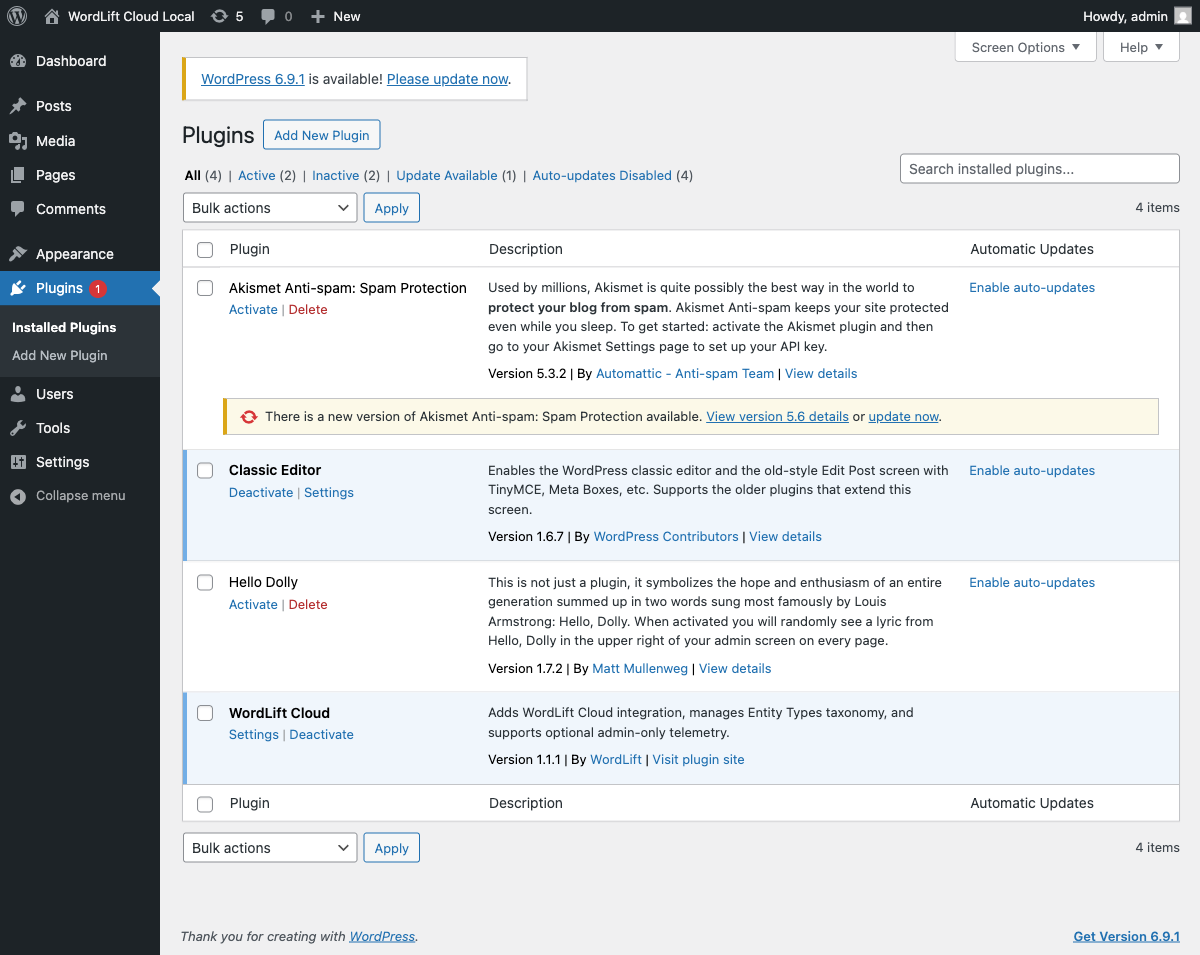
- Review settings in Settings > WordLift Cloud.
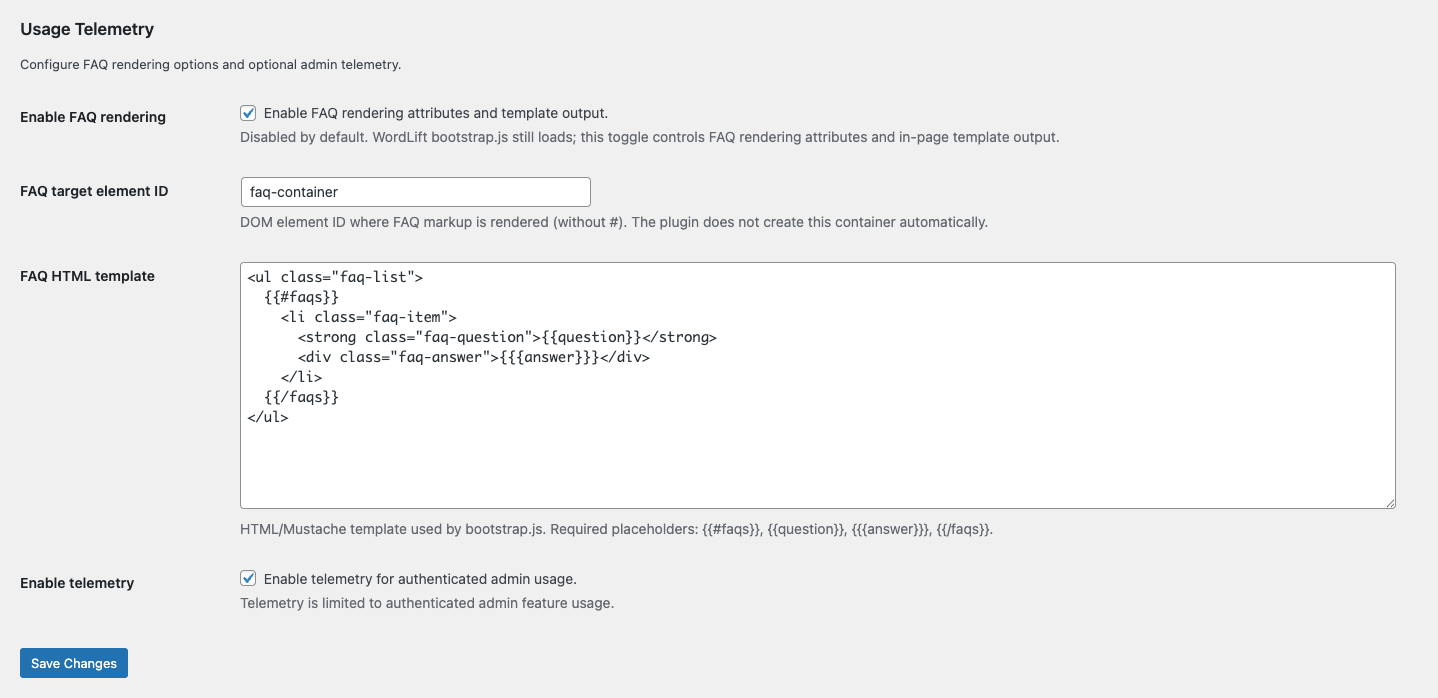
Settings behavior
bootstrap.jsloading:https://cloud.wordlift.io/app/bootstrap.jsis injected on frontend pages (subject to plugin consent gate/filter).
- Enable FAQ rendering:
- disabled by default.
- when enabled, plugin output adds FAQ-related
data-*attributes to the bootstrap script and outputs in-page template markup (wl-faq-template).
- FAQ target element ID:
- identifies where FAQ HTML should be rendered.
- the plugin does not auto-create this container; developers add it to theme/templates.
- FAQ HTML template:
- editable HTML/Mustache template used for FAQ rendering.
- Post-level override:
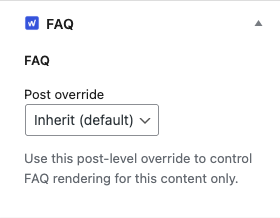
- all public post types have a dedicated FAQ metabox with:
- Inherit (default)
- Enable
- Disable
- post override takes precedence over the global FAQ setting.
- all public post types have a dedicated FAQ metabox with:
- Missing target behavior:
- if FAQ rendering is enabled and target container is missing, logged-in admins see a frontend notice.
- Enable telemetry:
- optional and admin-only.
- tracks authenticated backend feature usage; no public frontend telemetry snippet is injected.
Enable or disable FAQ per post
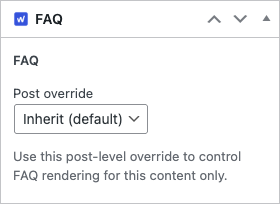
Use the FAQ metabox on the edit post screen to override the global FAQ setting for a single post.
- Inherit (default): use the global plugin setting.
- Enable: force FAQ rendering for this post.
- Disable: force FAQ rendering off for this post.
Block Editor metabox
Classic Editor metabox
Next steps
- To assign Entity Types to a web page, follow Select Entity Types for a Web Page.
- To load WordLift Cloud using GTM, see WordLift Cloud via GTM.