Google Search Console Integration
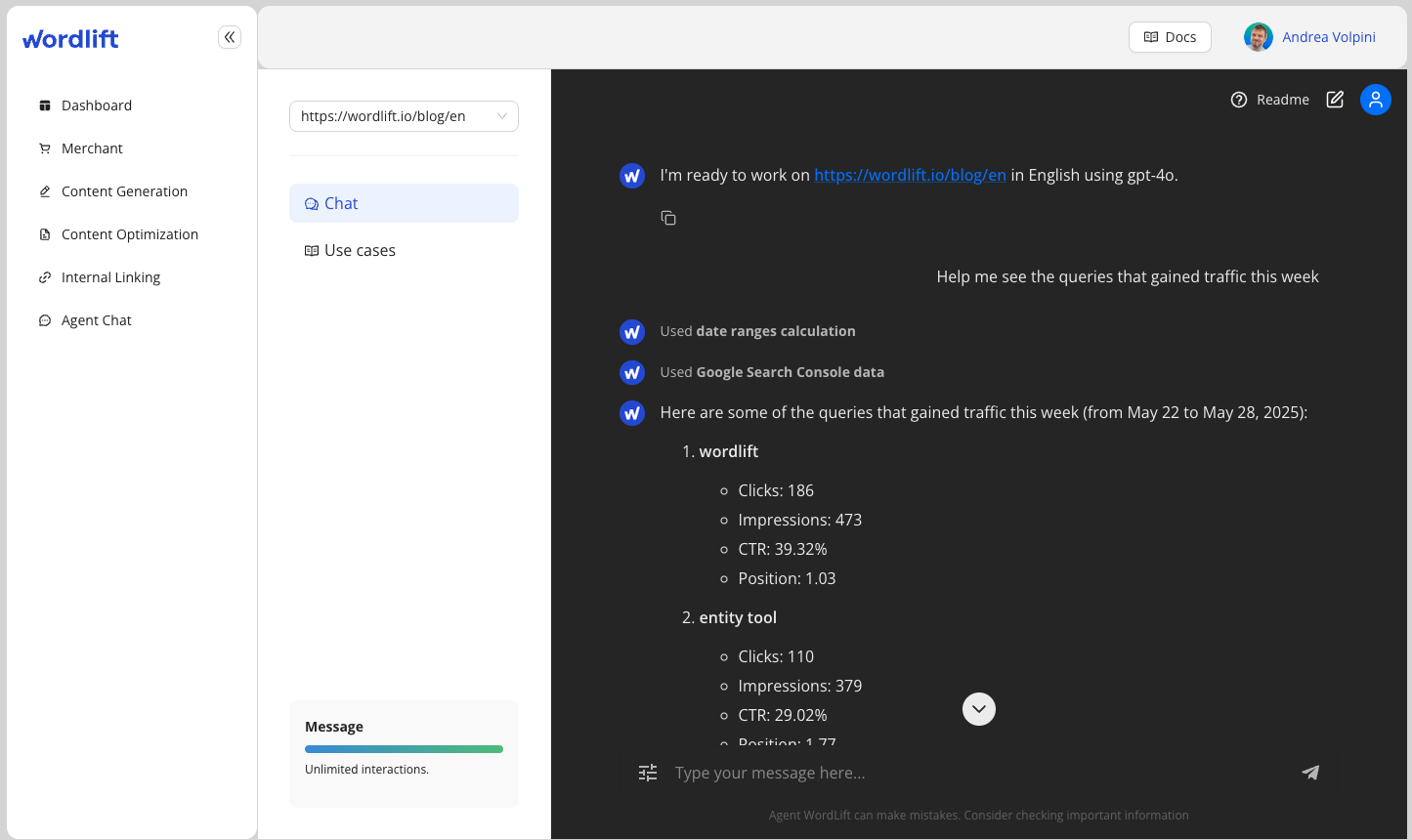
The Google Search Console (GSC) integration enables WordLift Agent to connect directly with Google Search Console API 📈, providing access to search analytics data.
Key Features
- Direct GSC API Access: Connect directly to Google's Search Console API to retrieve performance data (this is done using WordLift Dashboard)
- OAuth Authentication: Secure authentication flow with automated browser handling and token persistence
- Date-Aware Analysis: Built-in date utilities for working with the most current data
- Multiple Dimensions: Analyze data by query, page, device, country and other dimensions
- Metrics Visualization: Get clicks, impressions, CTR, and position data for your content
- Error Handling: Helpful suggestions when dealing with data issues or permissions
How It Works
Authentication
- First-time setup requires OAuth authentication from the WordLift Dashboard
- Browser-based flow for secure credential handling
- Tokens are securely stored in the WordLift platform
- Data from the GSC is also automatically imported in the Knowledge Graph
Analysis Capabilities
- Query-level analysis (what people are searching for)
- Page-level analysis (which content is performing)
- Combined analysis (which queries lead to which pages)
- Performance metrics (clicks, impressions, CTR, position)
Example Use Cases
- Identify top-performing content on your website
- Discover keywords driving traffic to specific pages
- Analyze search trends over time
- Find optimization opportunities (high impression, low CTR queries)
- Compare performance across different sections of your website
- Monitor mobile vs desktop performance
Getting Started
To start using the GSC integration:
- Ask the agent to "Connect to Google Search Console"
- Complete the authentication flow in your browser
- Begin querying your search data with natural language prompts
Below is a demonstration of the first-time activation process:
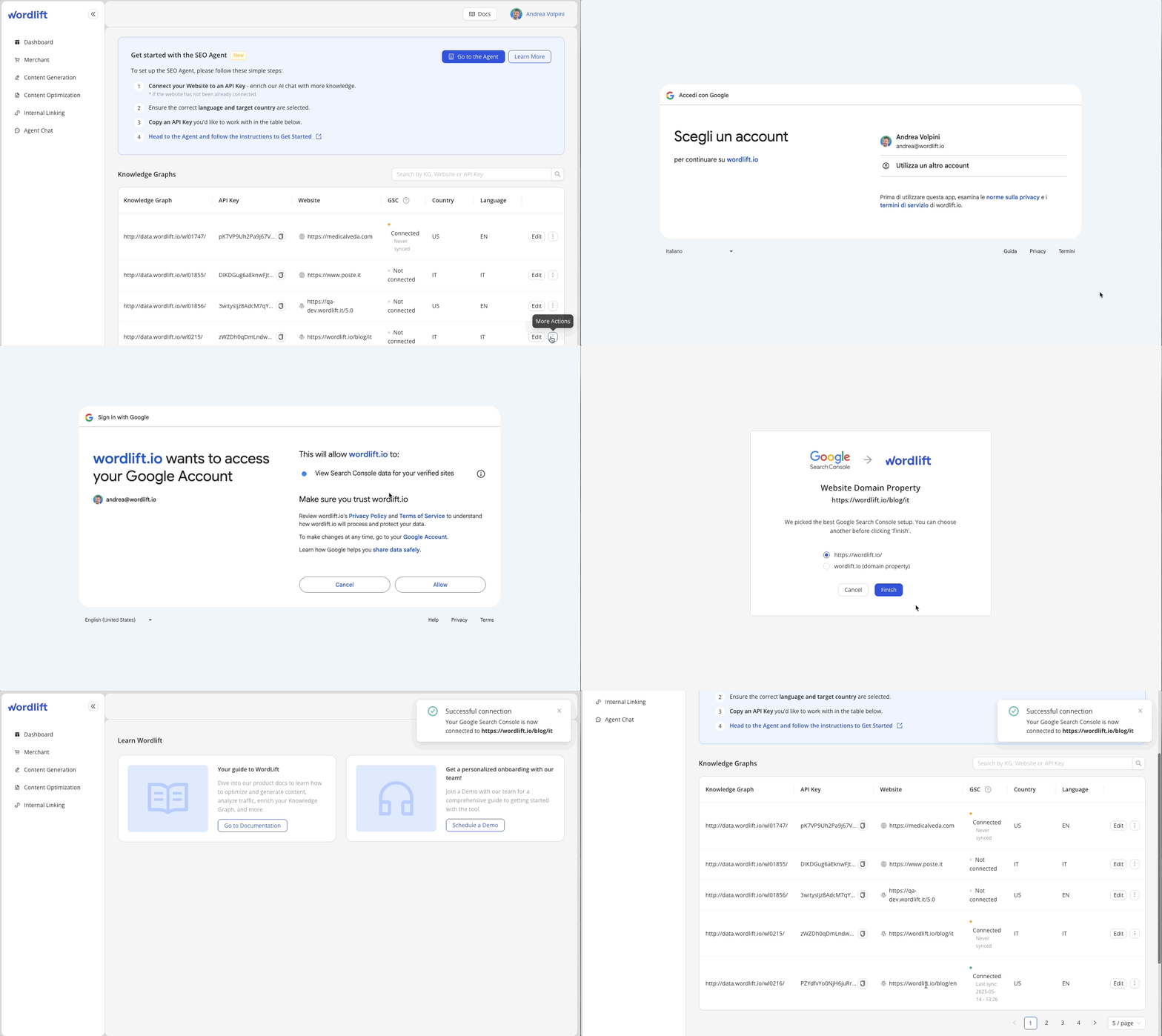
The animation shows the step-by-step process to connect WordLift Agent with Google Search Console through the authentication flow.
Example Prompts
Here are some example prompts to help you get started with the Google Search Console integration:
- "Show me my top search queries from the last 7 days"
- "What are the pages with the highest impressions but low CTR?"
- "Compare mobile vs desktop performance for my top content"
- "Show me queries related to [topic] driving traffic to my site"
- "What new keywords have appeared in the last 30 days?"
- "Analyze the performance of the blog section of my website"
- "Which countries are generating the most traffic to my site?"