Ask your AI assistant about Monitor
Ask your AI assistant about your Monitor results instead of reading them in the dashboard. Assistants such as Claude and ChatGPT connect through the WordLift Model Context Protocol (MCP) Server. They read the same bot readiness and semantic data quality results you see in Monitor > Status, and answer in plain language.
Use it to get a quick summary of your site, compare segments, or decide which fixes to make first.
Prerequisites
- WordLift has set up the pages to monitor for your account, and at least 1 monitoring run has finished.
- You have connected the WordLift MCP Server to your AI assistant. For the setup steps, see Agent WordLift MCP integration.
- For answers about segments, you have segments with expectations (see Define segments and expectations).
Ask about your monitored pages
-
Open a new chat in your assistant and check that the WordLift tools are turned on.
-
Ask about your site, for example:
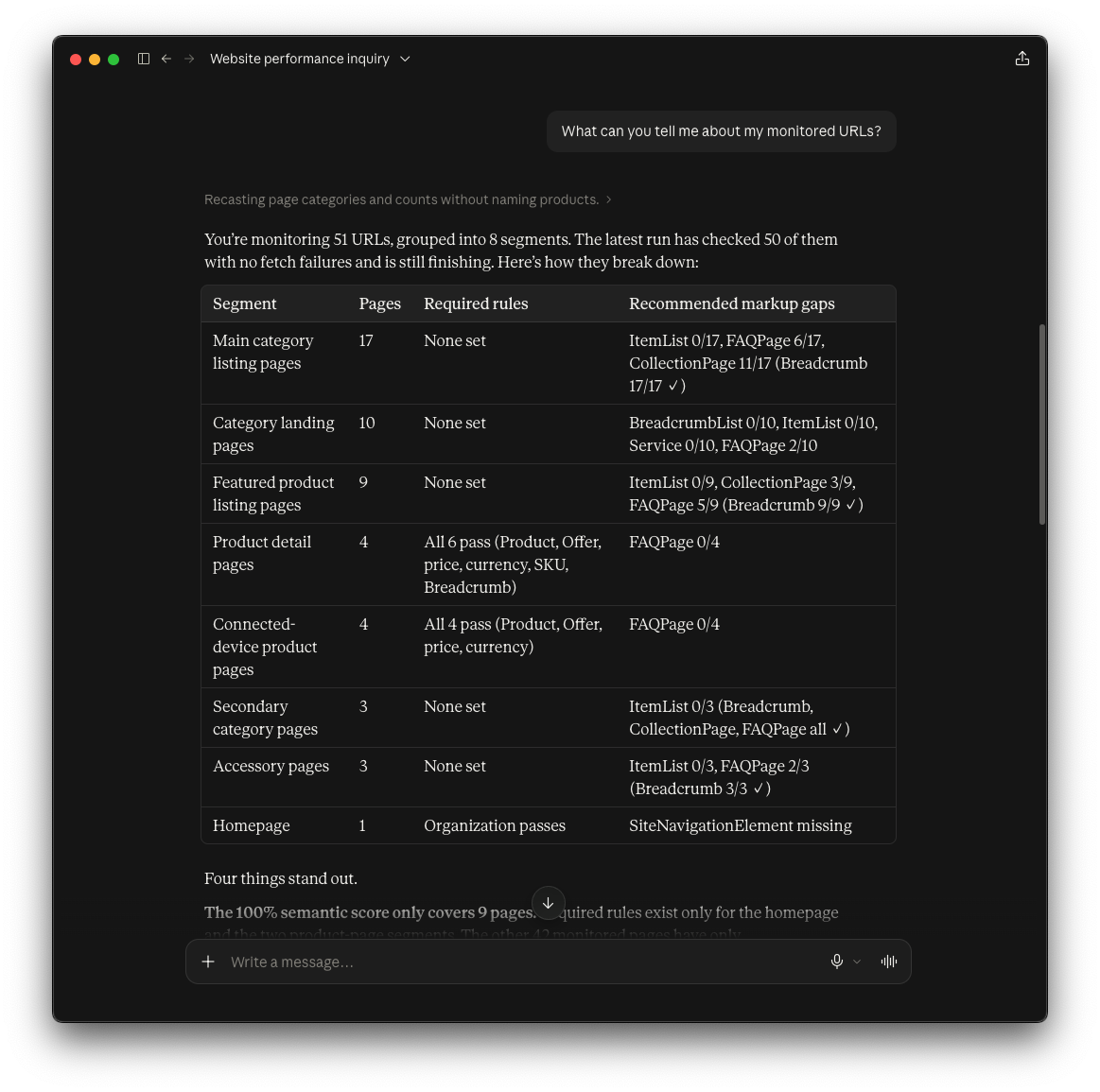
- "What can you tell me about my monitored URLs?"
- "How is my website doing?"
- "Which segments need the most attention?"
-
Read the answer. For a question about your monitored URLs, the assistant lists each segment with its number of pages. It also shows the required rules each segment passes and the recommended markup it is missing.
Decide what to fix first
Ask which segments need the most attention. The assistant ranks segments by their failing checks and explains why each one matters, so you get a starting point for your backlog.
If your Knowledge Graph is also connected to Google Search Console, the assistant can weigh the Monitor results against your search traffic. In this example, it ranks a segment first despite its fewer failing checks, because that segment holds the page with the most impressions.
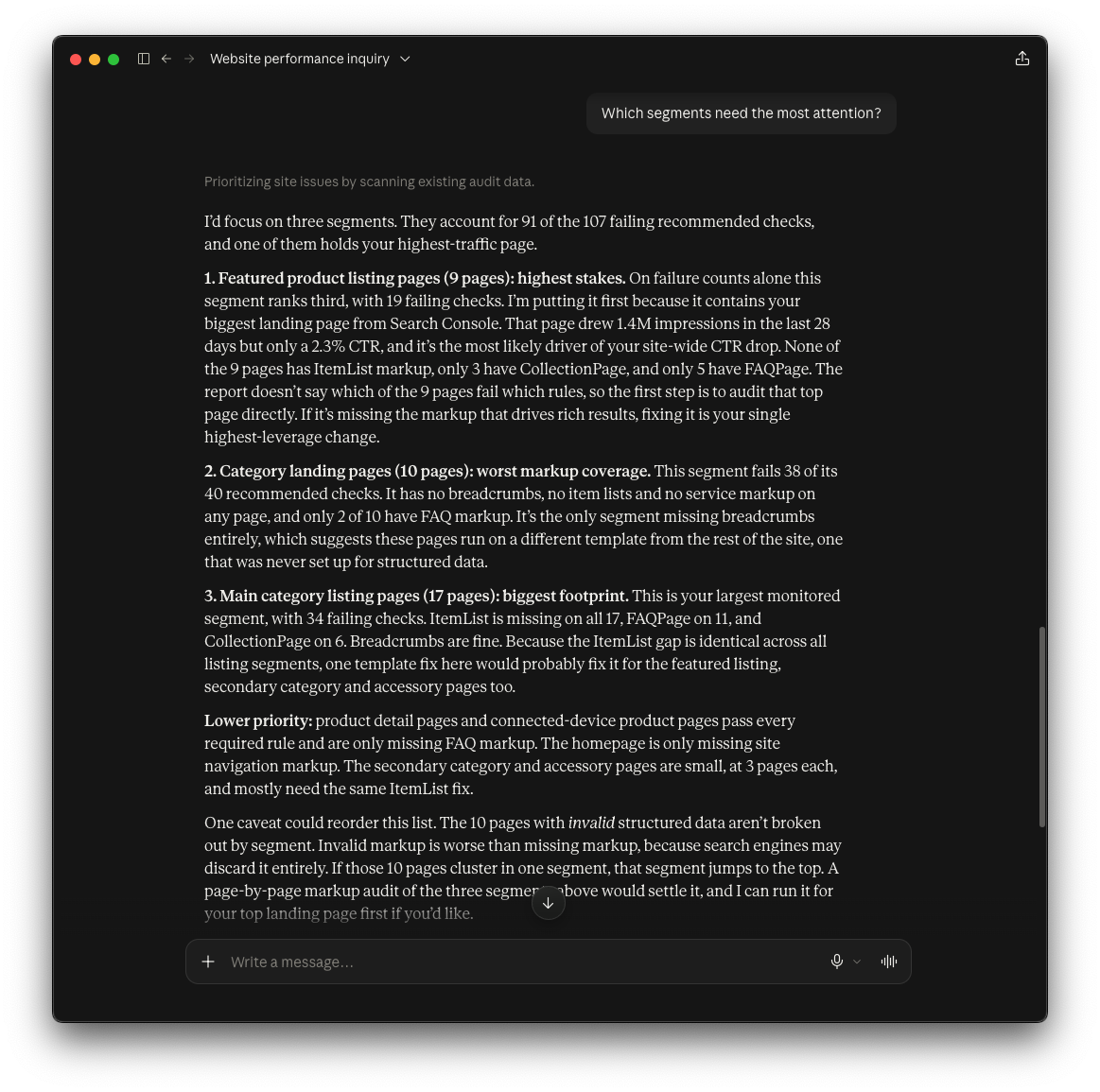
Ask follow-up questions in the same chat to narrow down a segment or a rule. You can also ask the assistant to turn the answer into an action plan for your team.
Result
You have a plain-language summary of your Monitor results and a ranked list of the segments to work on first. The answers reflect the last finished run, so changes to your site or your segments show up after the next run.
What the assistant can see
- Bot readiness and semantic data quality. The assistant sees the results by check and by segment.
- Not AI readiness. The site-wide checks are not yet available through the MCP Server (see Current limitations).
- Segment-level results, not page-level detail. To see which rules a single page fails, open it in the dashboard (see Inspect URL results).
Next steps
- Read Monitor status to see the same results in the dashboard.
- Define segments and expectations to change the rules the assistant reports on.
- Monitor reference for every check, score and limit.