Read Monitor status
Use the Status tab to decide what to work on next. It shows your site in 3 panels:
- AI readiness shows how AI assistants and agents can reach, understand and act on the whole site.
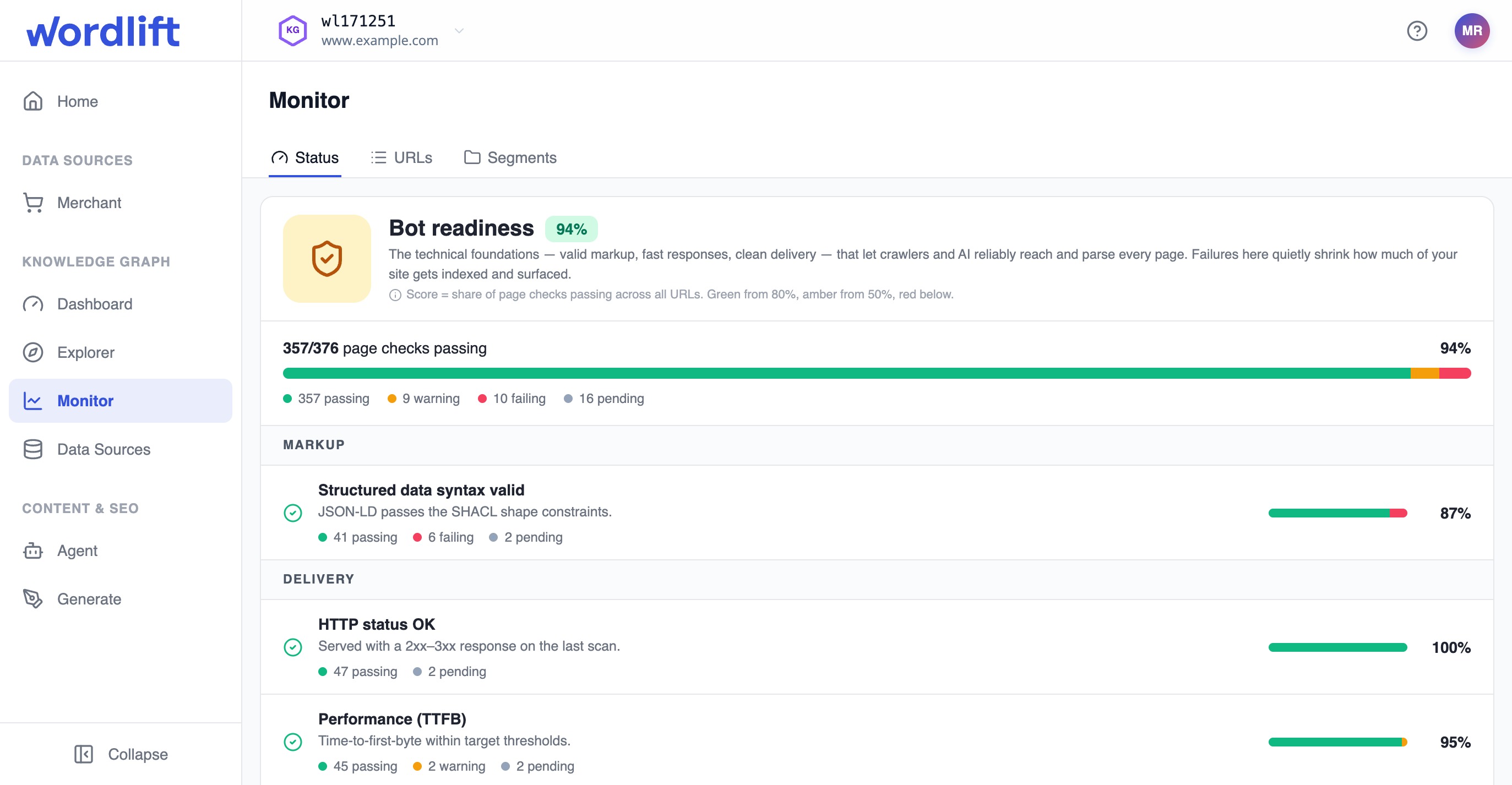
- Bot readiness shows the technical health of every monitored page.
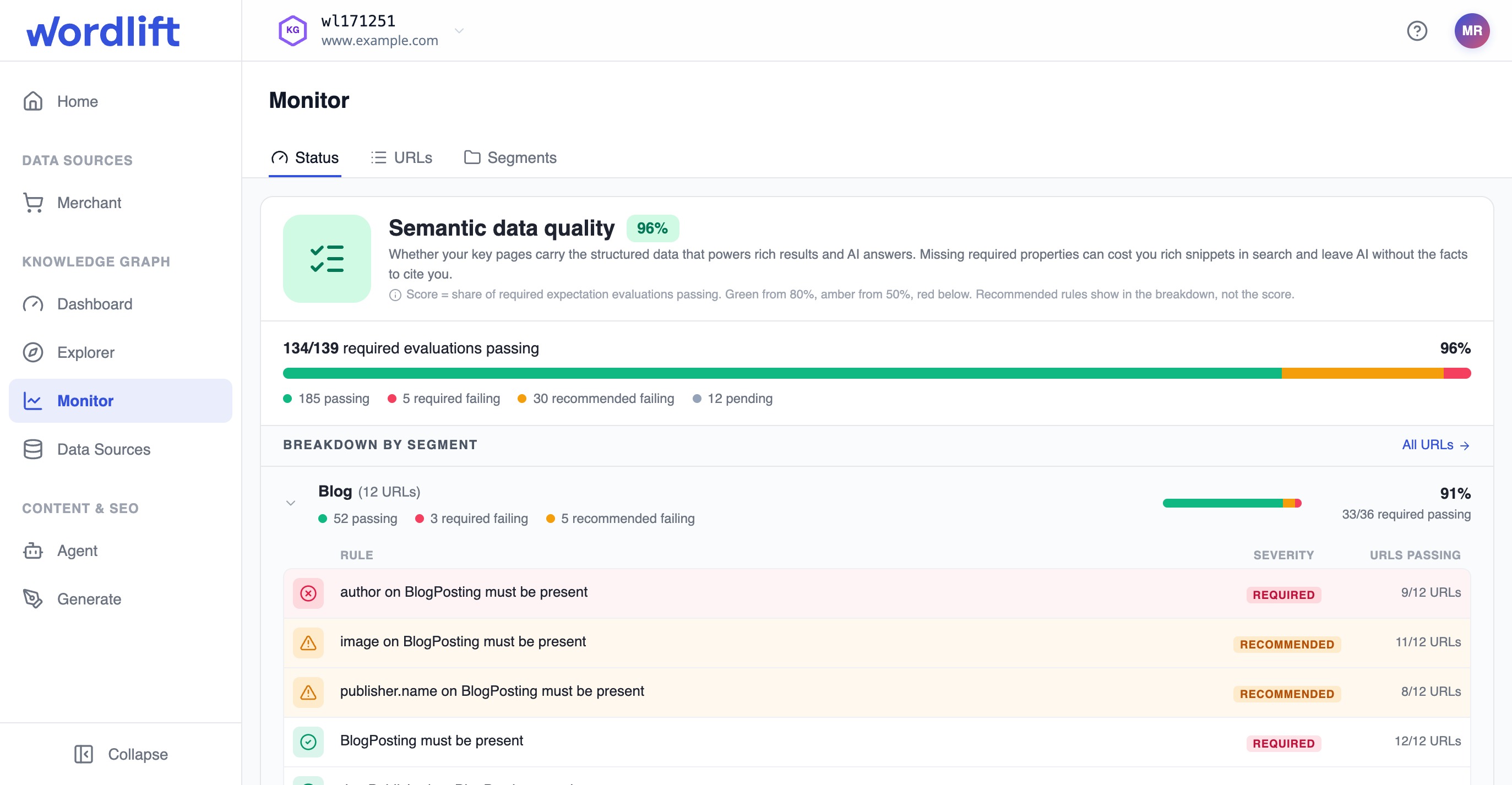
- Semantic data quality shows how well each segment's pages meet their structured data standard.
Prerequisites
- You have access to the Knowledge Graph in the WordLift dashboard.
- At least 1 monitoring run has finished since WordLift set up your pages.
- For AI readiness, site-wide checks are turned on for your account. Your WordLift account team can turn them on.
- For semantic data quality, you have segments with expectations (see Define segments and expectations).
Review AI readiness
AI readiness has no score, because the right answer depends on your goals. A publisher may block AI crawlers on purpose, and not every site wants agents to act on it. Monitor shows a gap as an opportunity, not a failure.
-
Select your Knowledge Graph, then select Monitor > Status.
-
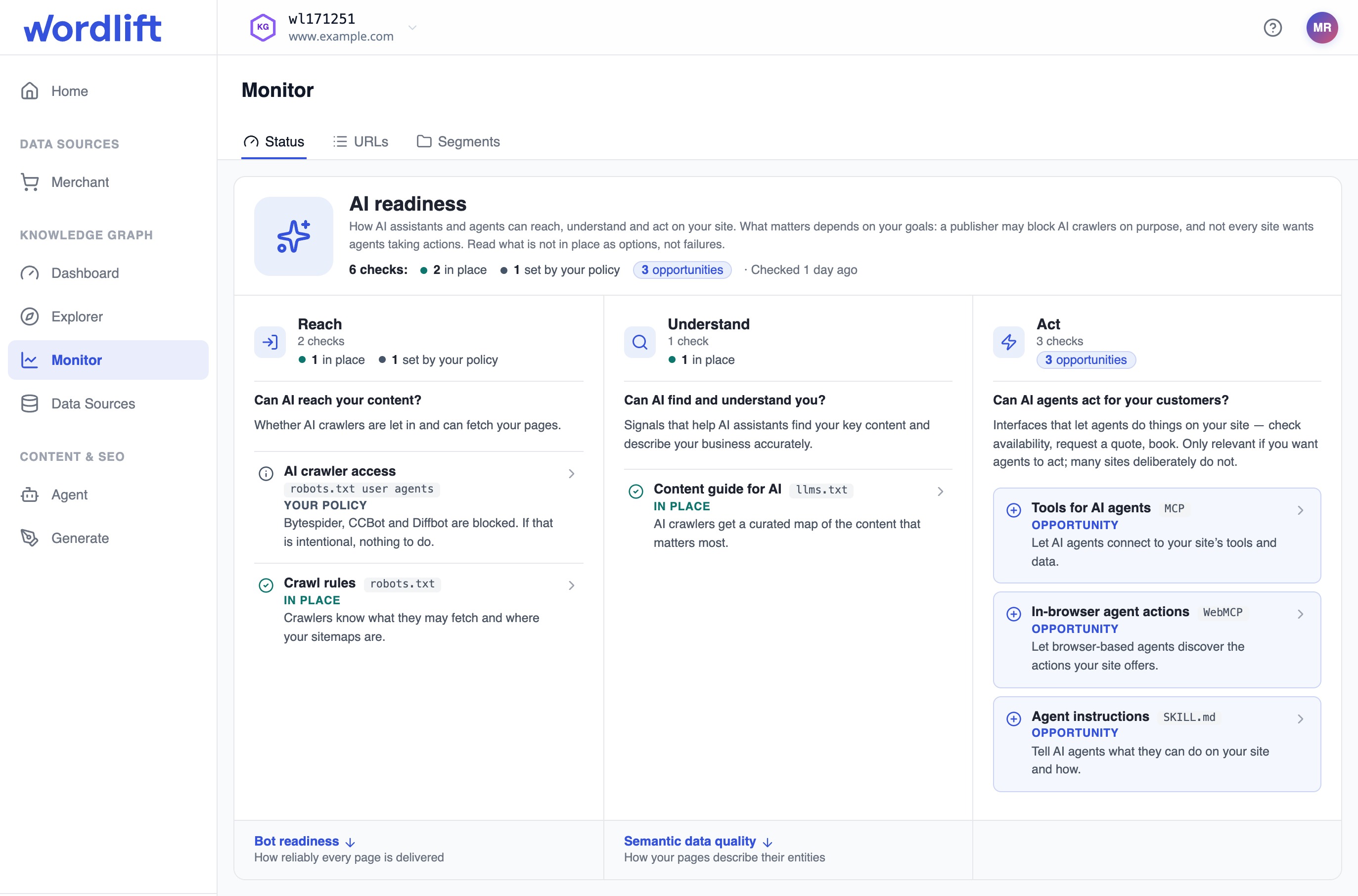
Read the AI readiness header. It shows how many of the 6 site-wide checks are in each state, and when Monitor last checked the site.
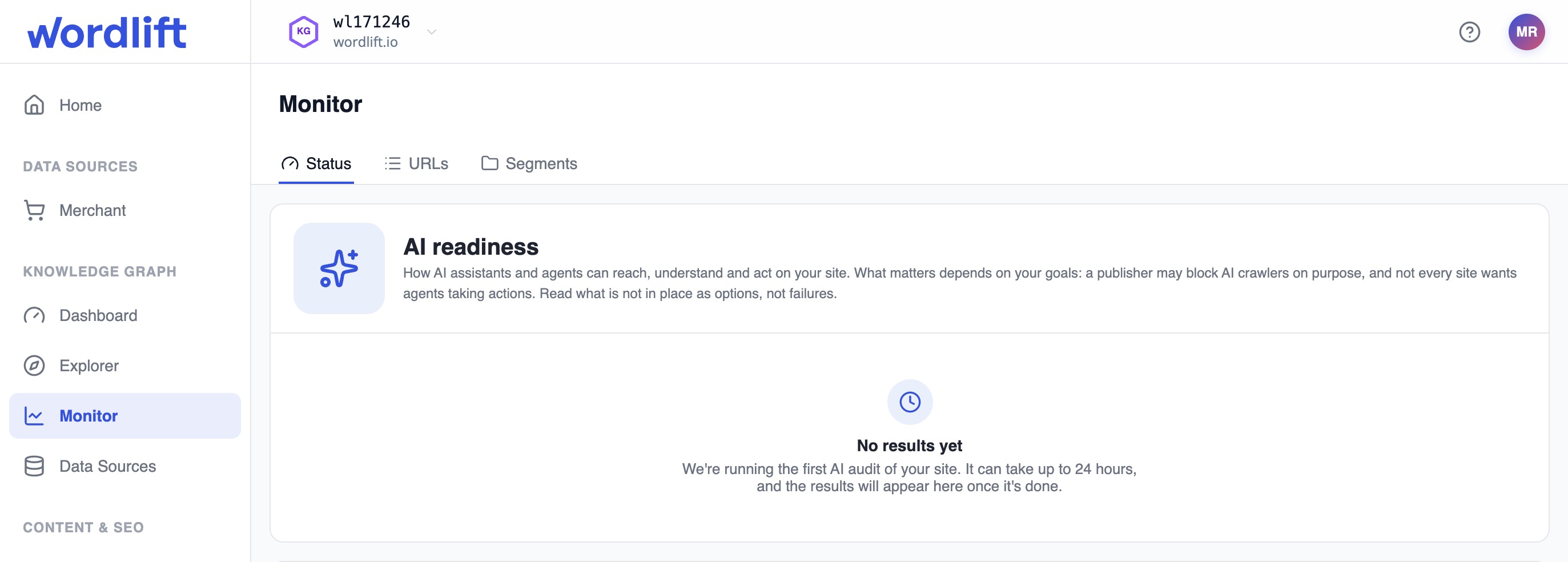
Until the first audit finishes, the panel shows No results yet. The first audit can take up to 24 hours.
-
Review the checks in each of the 3 areas: Reach (can AI reach your content?), Understand (can AI find and understand you?) and Act (can AI agents act for your customers?). Monitor lists opportunities first and highlights them. Each check shows a state such as In place, Opportunity or Your policy. For every check, area and state, see Site-wide checks in the Monitor reference.
The Act checks matter only if you want agents to act on your site, for example to check availability, request a quote or book. Many sites choose not to.
-
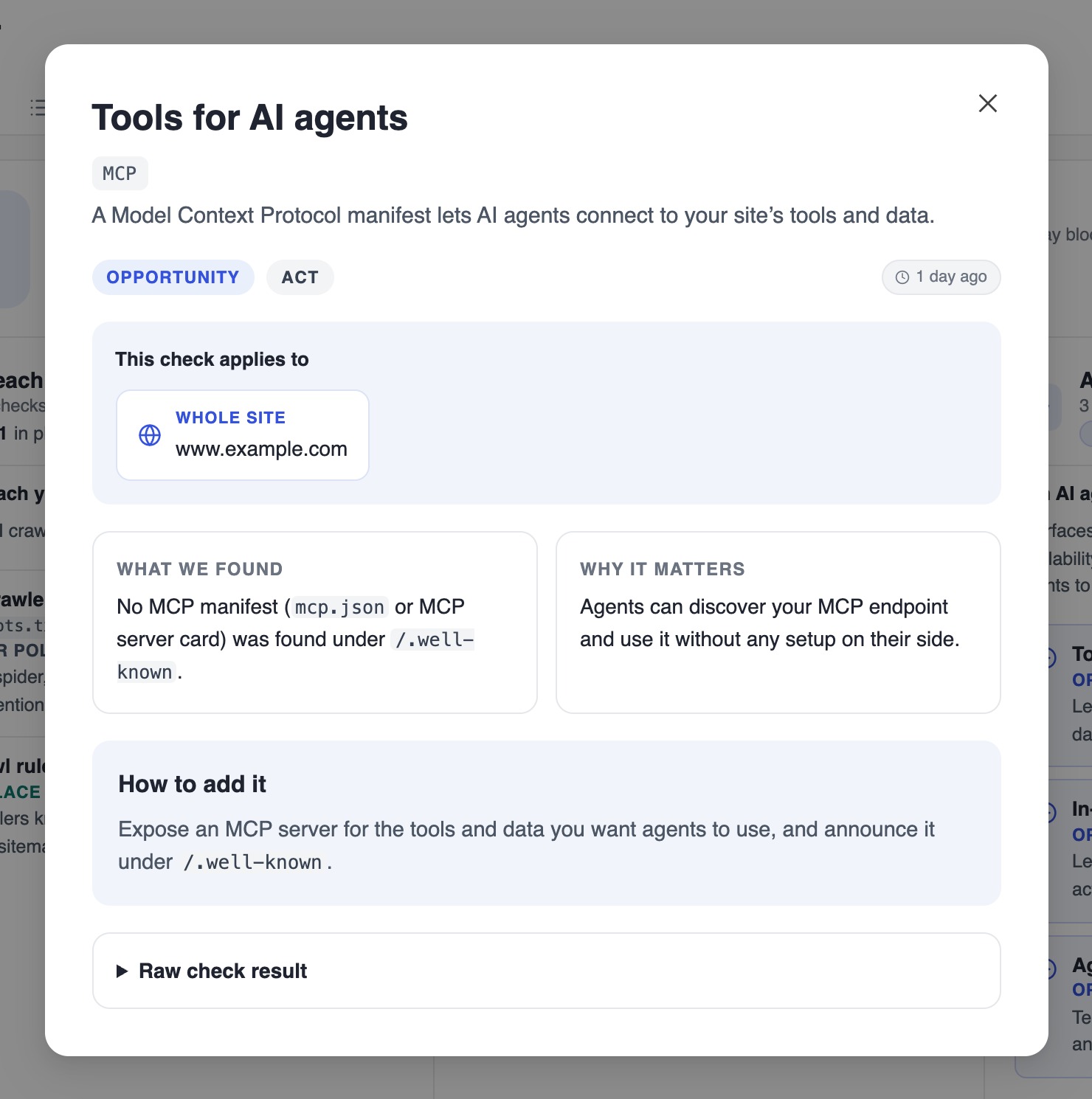
Select a check to open its details. The details explain what Monitor found, why it matters, and a suggested next step: How to add it, How to fix it or If this is intentional. Raw check result shows the output of the check.
For AI crawler access, the details also list which known AI bots your
robots.txtallows and which it blocks.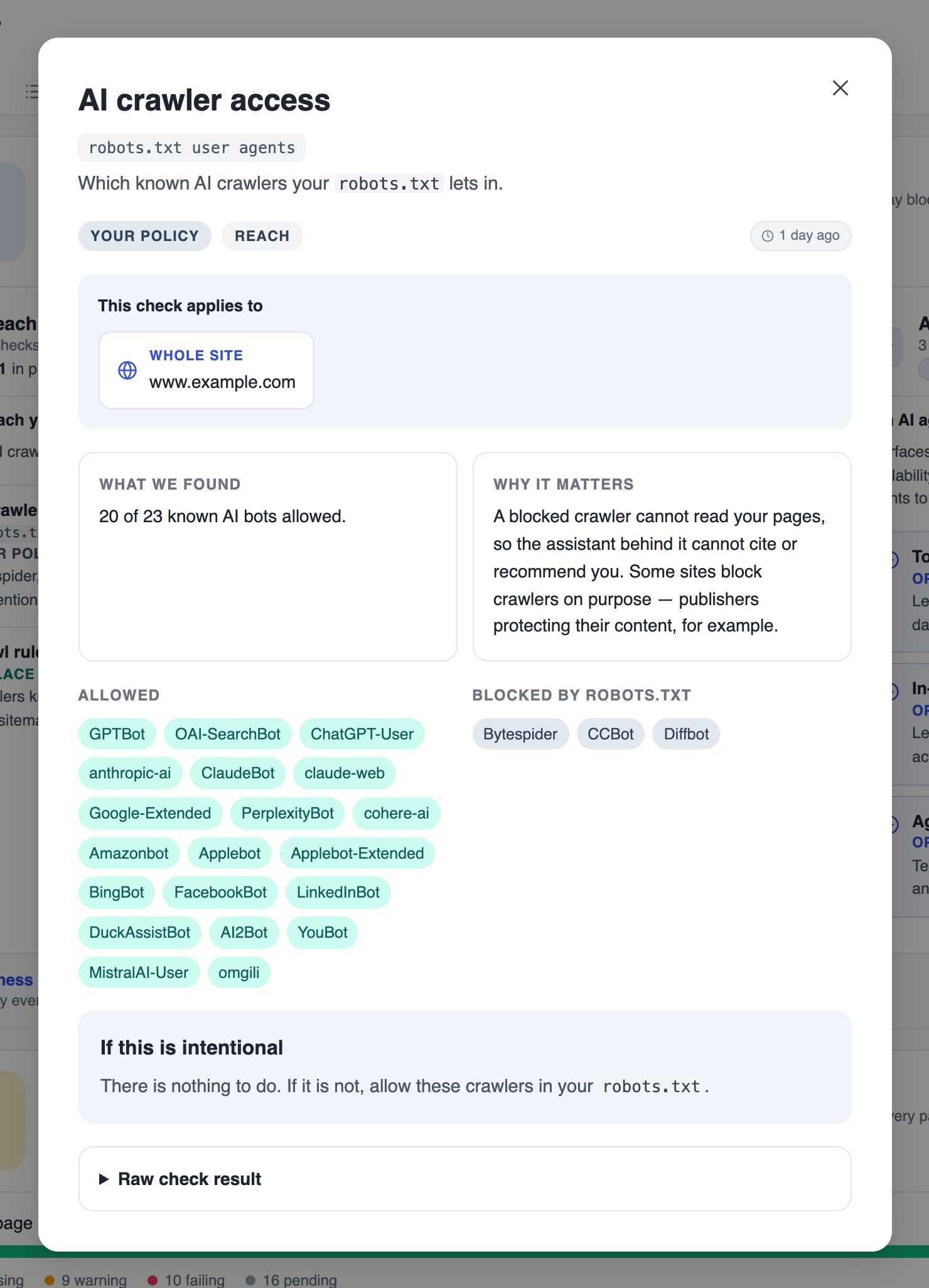
-
To continue at page level, follow the links at the bottom of the panel: Bot readiness under Reach and Semantic data quality under Understand.
Review bot readiness
-
In Bot readiness, read the score and its color (see Scores in the Monitor reference). It measures the technical foundation (valid markup, fast responses, clean delivery) that crawlers and AI need to reach and parse every page.
-
Find the check that lowers the score. Checks are grouped into Markup, Delivery, SEO fundamentals and WordLift, and each check shows its own pass, warning and fail counts.
Review semantic data quality
-
In Semantic data quality, read the score and the bar at the top. The bar splits evaluations into passing, required failing and recommended failing.
-
Under Breakdown by segment, find the segment with the lowest score. A drop in a segment that used to score well usually means drift: a template, content management system (CMS) or plugin update has removed markup from many pages at once.
-
Expand the segment. It lists every expectation, its severity, and how many of the segment's URLs pass it, so you can see which rule causes the low score.
-
Use the links at the end of the expanded segment:
- Open segment opens the segment so you can edit its rules.
- Inspect URLs opens the segment's pages. Open a failing page to see its details (see Inspect URL results).
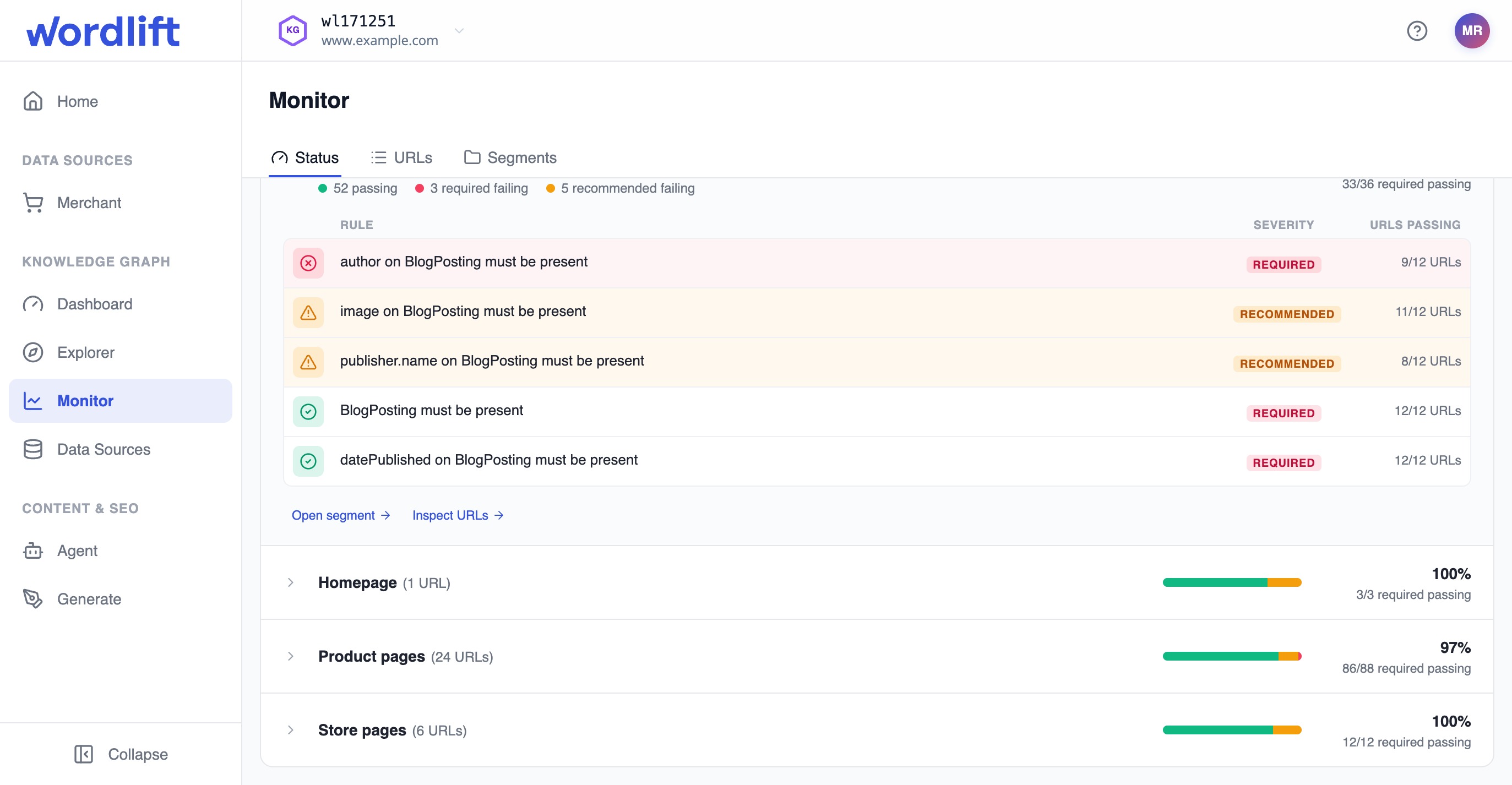
The usual path is score, then segment, then failing rule, then URLs, then a single URL.
For how each score is calculated and which checks belong to each area and category, see Scores in the Monitor reference.
Result
You know what to work on: which AI readiness opportunities fit your goals, and which page checks and segment rules fail.
Results reflect the last finished run. Changes you make to your site or your segments show up after the next run.
Next steps
- Inspect URL results to see why a single page fails.
- Define segments and expectations to adjust the rules for a segment.